Your optical business
one click away
Management software for optical stores, optical labs and optical supply distributors. Each with its own tools, all in the same ecosystem.

Illustrative animation with sample data


Let your customers try on glasses before they buy
Virtual try-on, measurements with the camera and an online store where customers order lenses. And behind it, the clinical record, insurance coverage and the lab order, all in the same system.
Illustrative animation with sample data

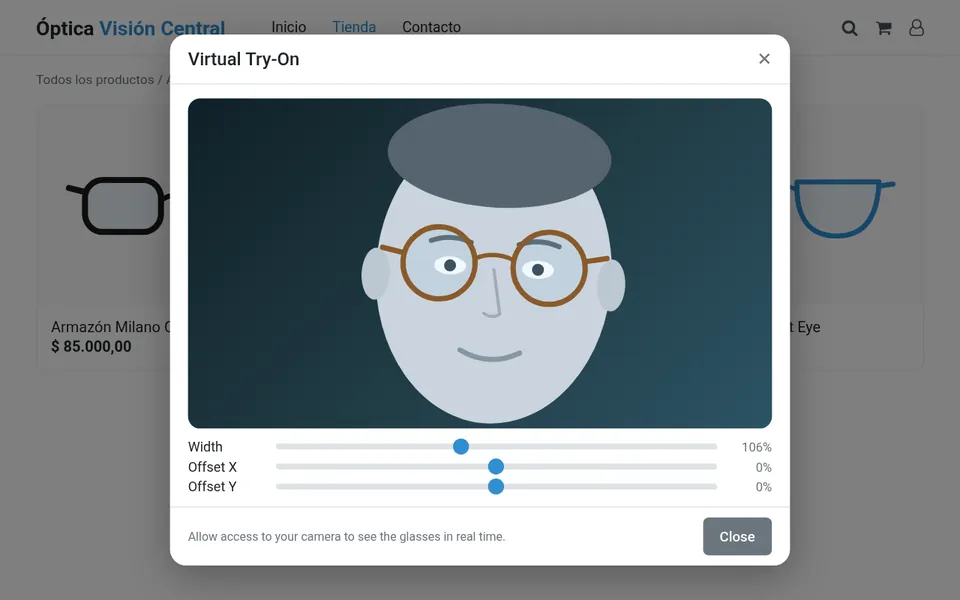 Virtual Try-On window in the online store
Virtual try-on
Your customers try on frames with their camera, in your online store or in the shop, using a front image or a 3D model.
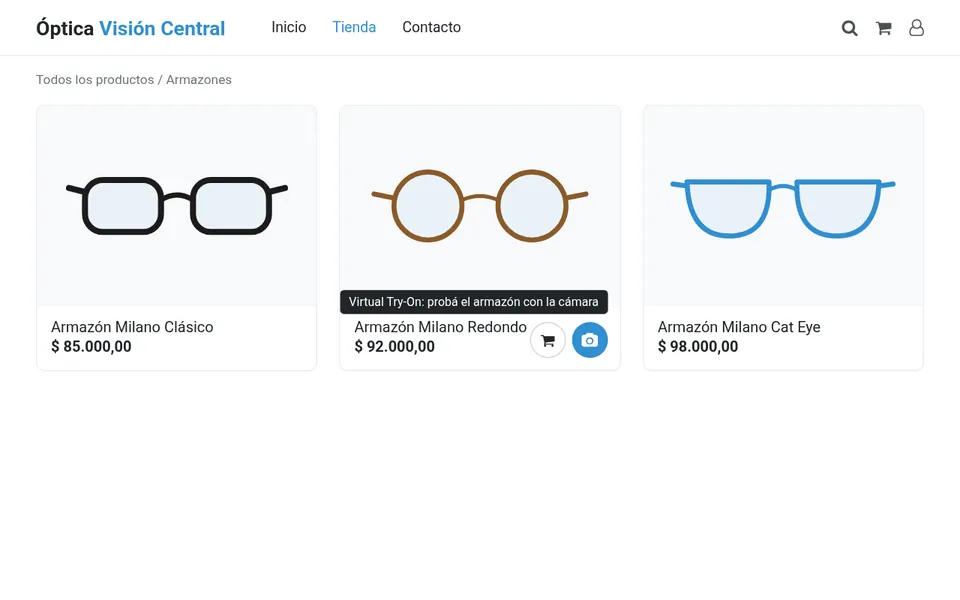 Store with a virtual try-on button on every frame
Face try-on and face-based search
Find the frames that best suit each face and try them on instantly.
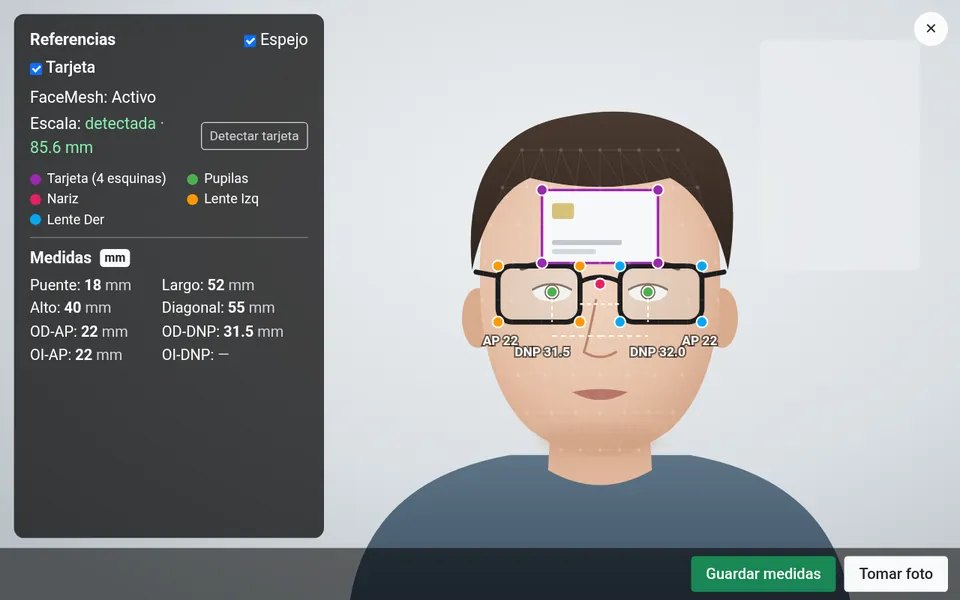 Face measurement with a reference card
Measurements
Face measurement with the camera right from the order: pupillary distance and fitting height, no rulers or paper.
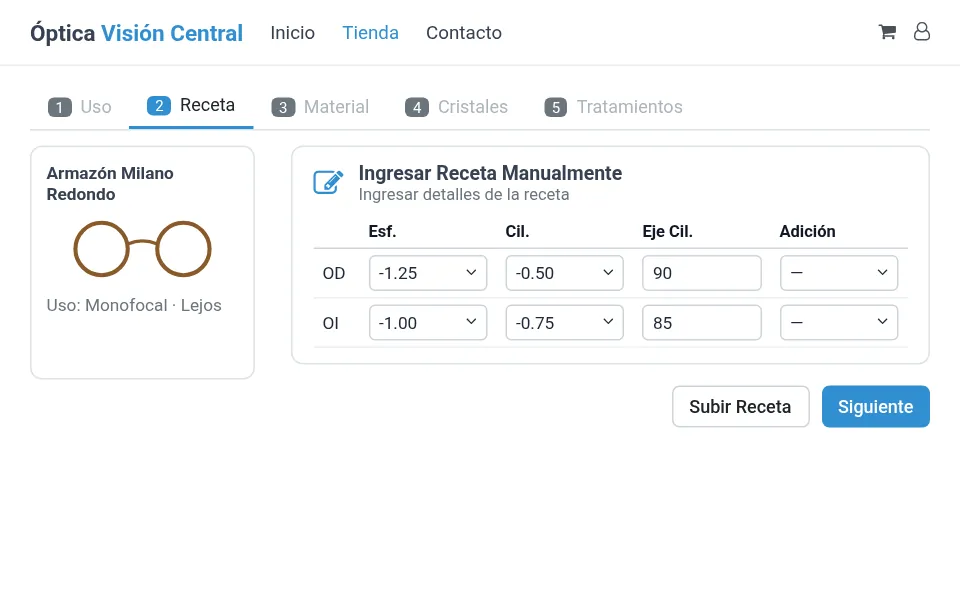 Step-by-step lens order: Use, Prescription, Material, Lenses, Coatings
Online store with lens ordering
Your customer picks a frame and builds their lens order online, step by step.
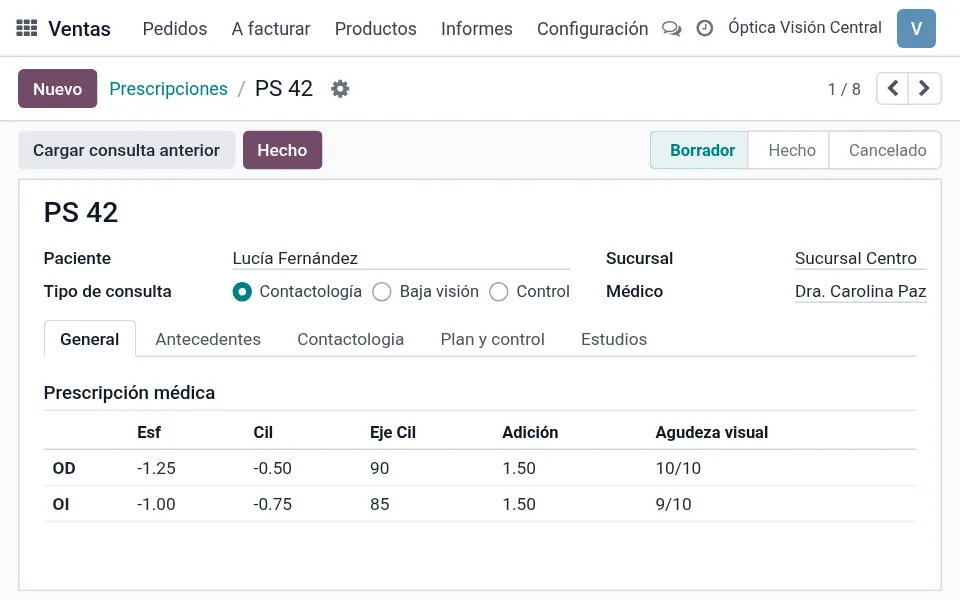 Prescription with values per eye
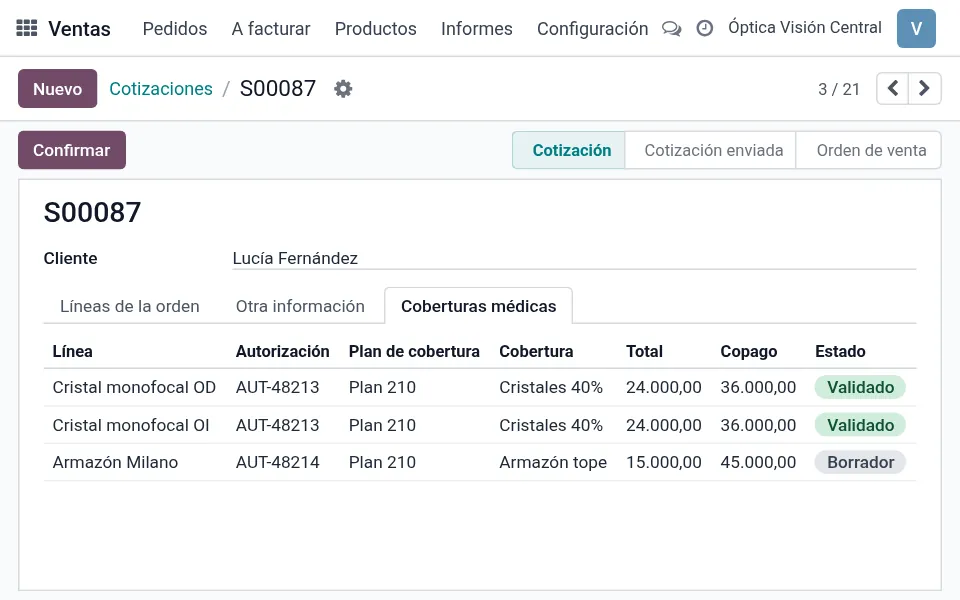 Authorizations per line on the sales order
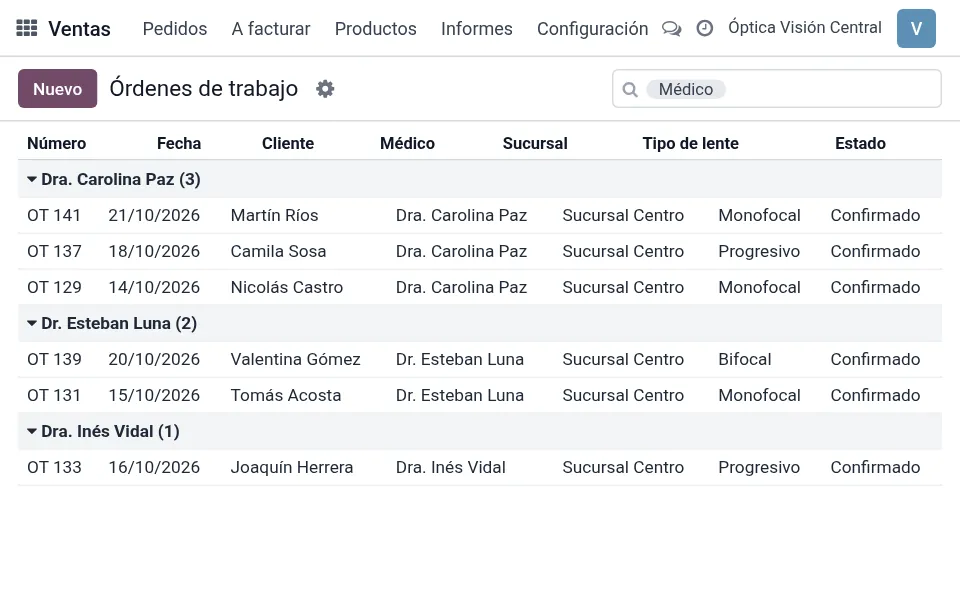 Work orders grouped by doctor
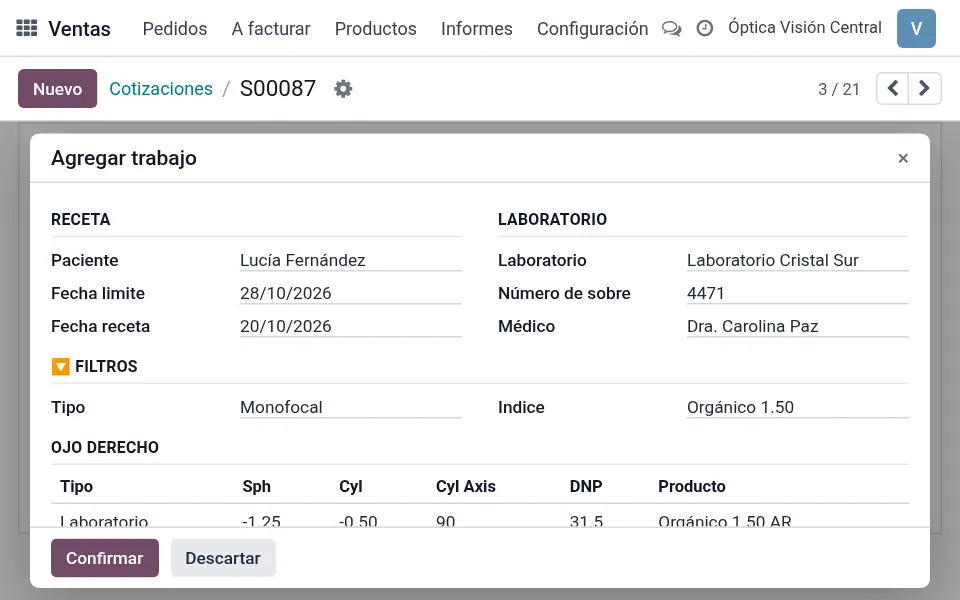 Wizard to add the job from the sale
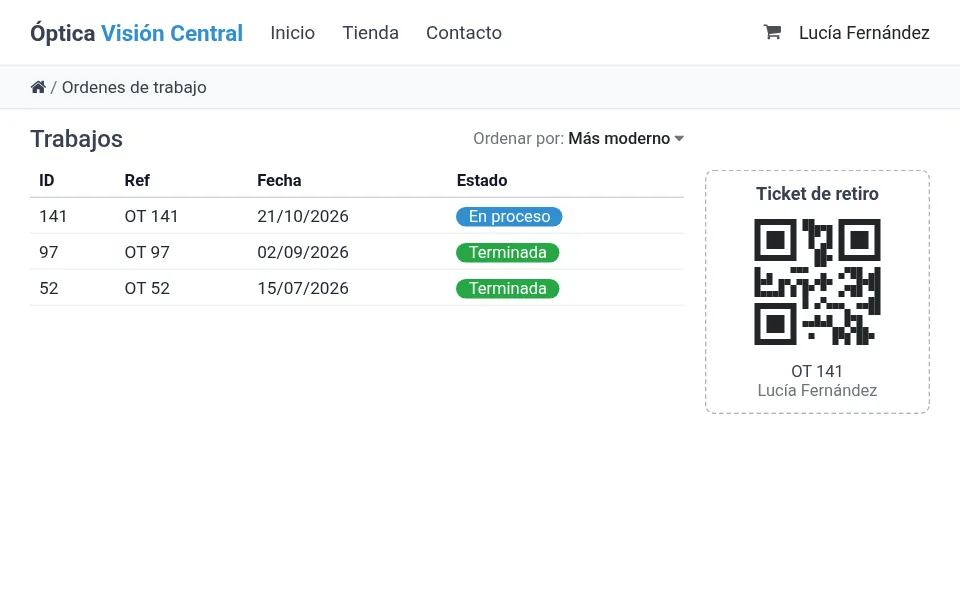 Patient portal with the status of each job, and pickup ticket with QR code
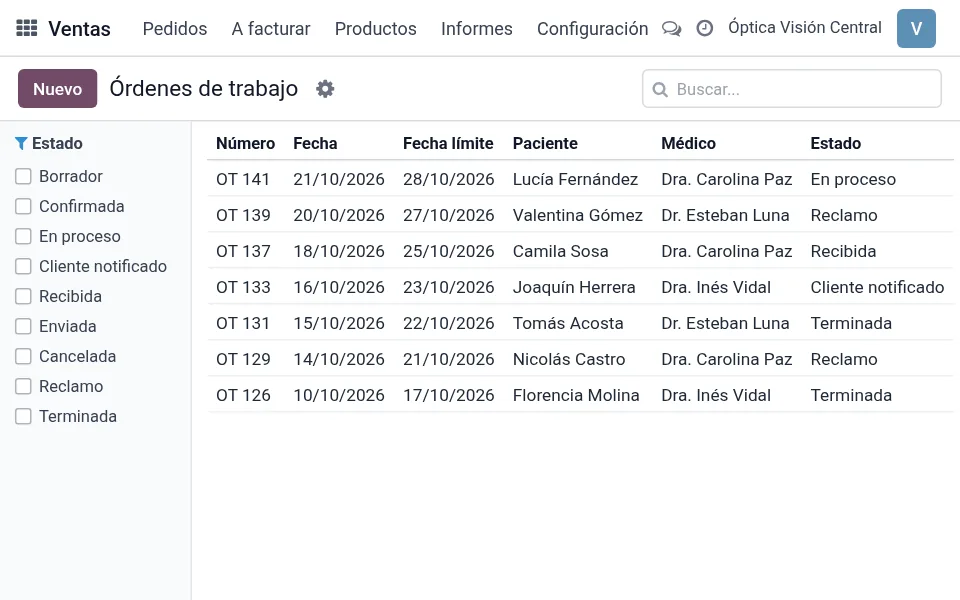 Work orders with deadline, status and a status filter
Every work order, in plain sight
Receive orders from your optical stores, follow each job by stage and check quality before delivery.
- 1Blocking
- 2Surfacing
- 3Coating
- 4Edging
- 5Finished
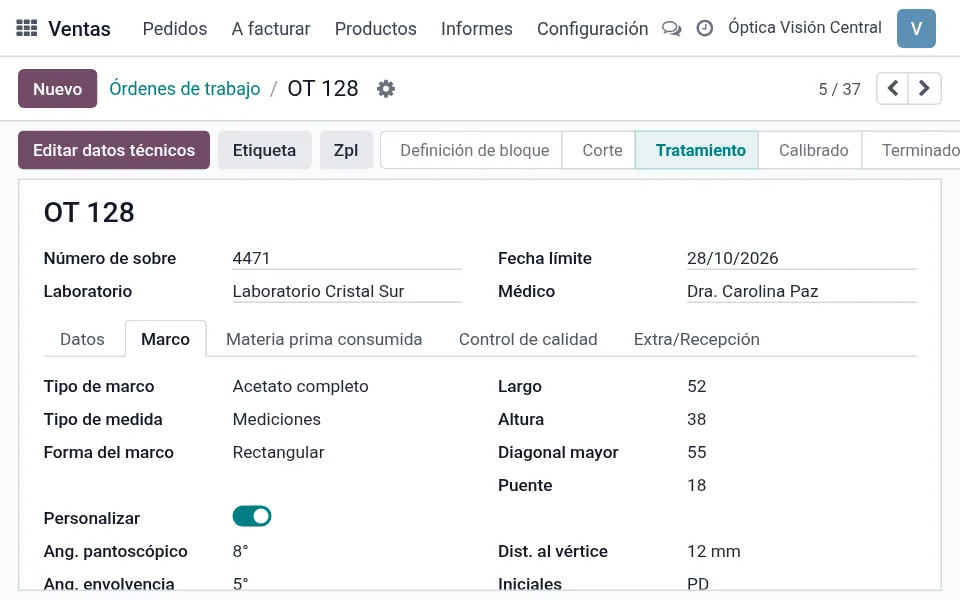 Work order: Frame tab
Complete work order
Prescription per eye with prism, addition, height and PD. Frame measurements and shape, pantoscopic and wrap angle, vertex distance and included processes.
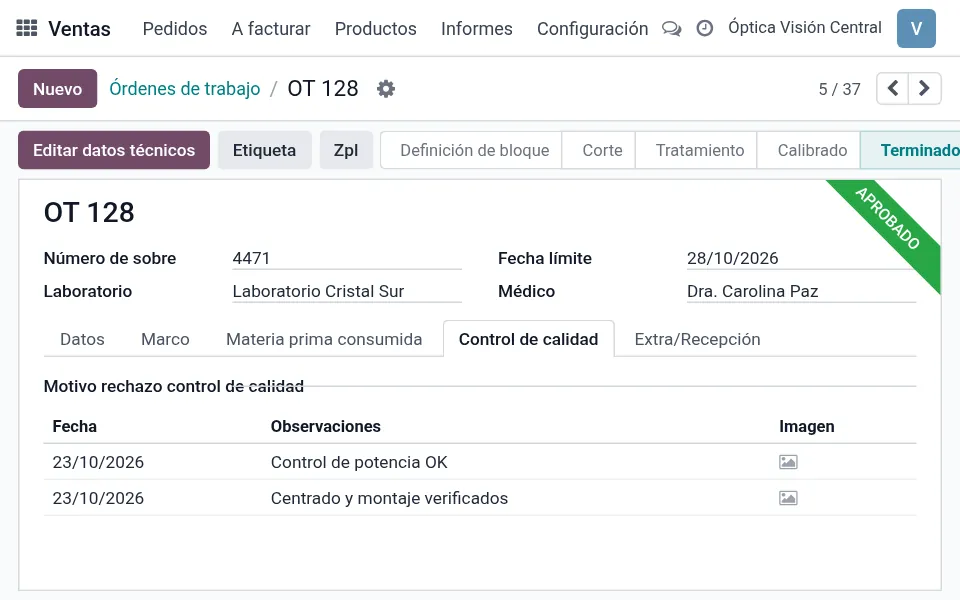 Quality control with notes
Quality control
Approved, rejected or reworked, with a reason and notes for each job.
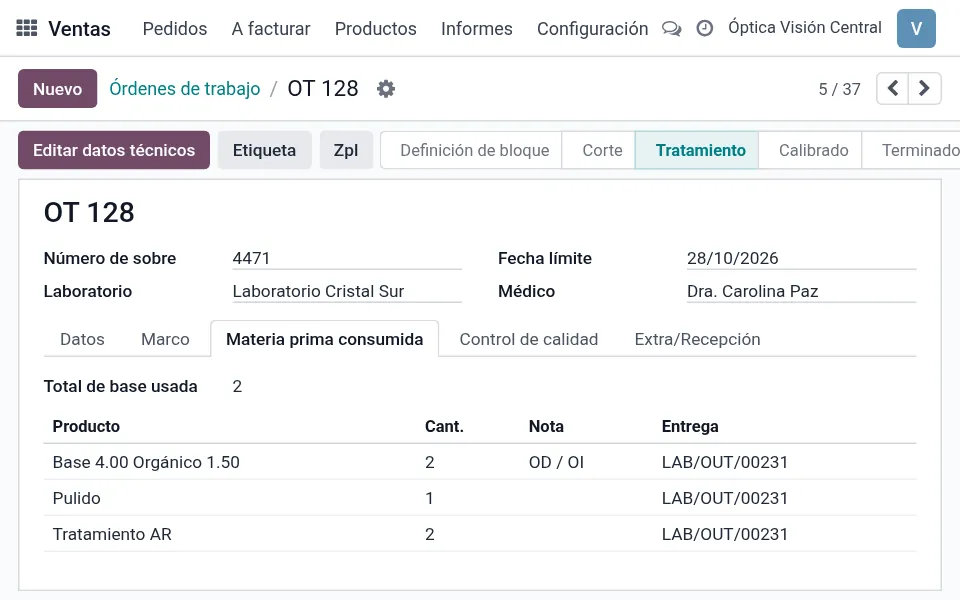 Raw materials consumed per job
Supplies and technical catalog
Blanks and raw materials consumed per job. Lens types, designs, materials, colors, additions, base curves, shapes and frame types.
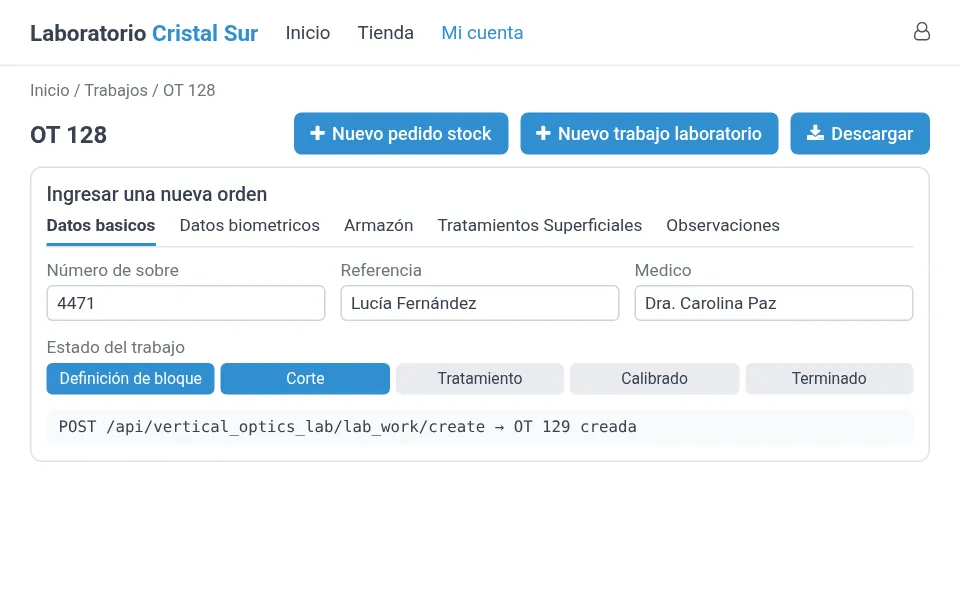 Customer store portal and order API
Portal and API for your customers
Your optical stores place orders online with the prescription and follow their jobs. A REST API receives orders from other systems.
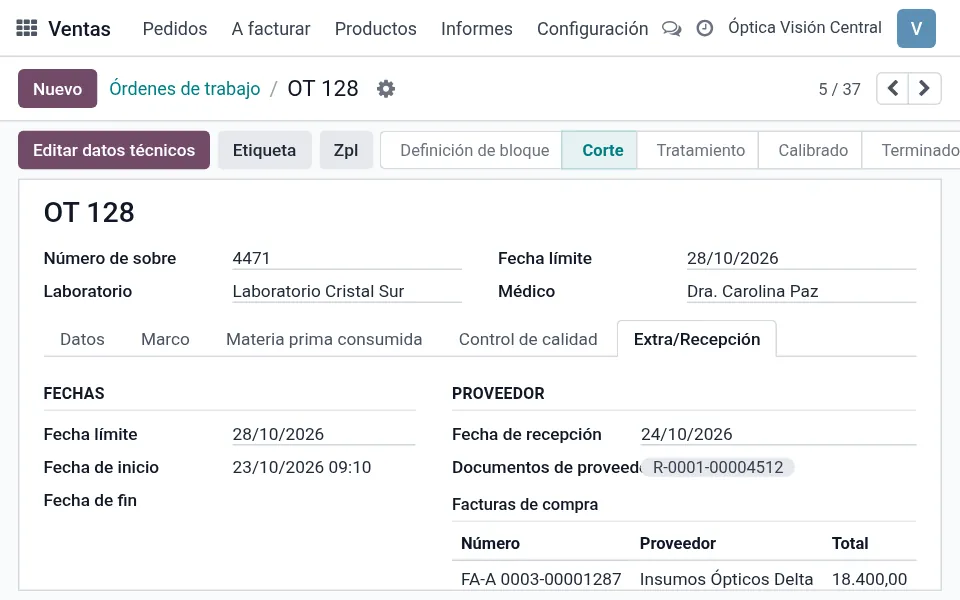 Order Extra/Receiving tab
Receiving and deliveries
Envelope number, supplier receipt, delivery notes and deadline for each job.
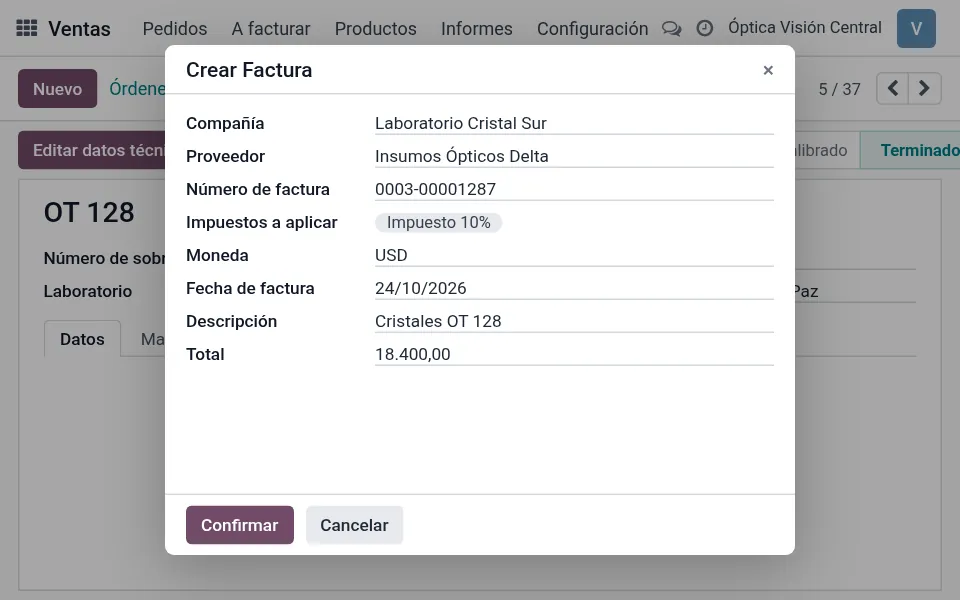 Create Invoice wizard on the order
Invoicing and suppliers
Invoice your orders and link your suppliers' documents and purchase invoices to each job. Data Matrix labels for finished and semi-finished lenses.
The whole grid on one screen
Enter quantities by sphere and cylinder to buy, sell and control stock, without searching variant by variant.
Illustrative screens with sample data
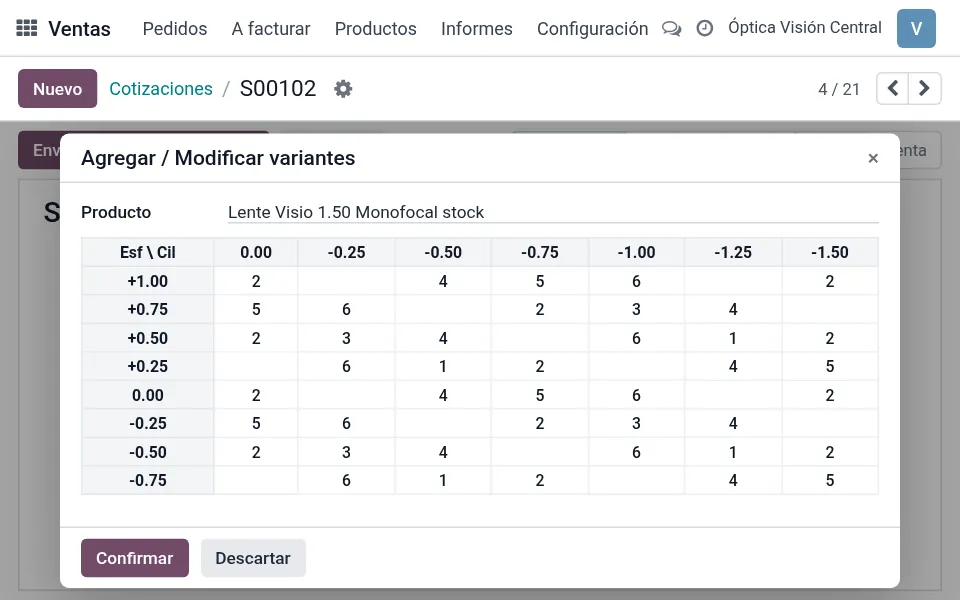
Variant matrix on a sales quotation
Sphere and cylinder grid
Optical products with sphere and cylinder variants, and a matrix in sales, purchases and stock.
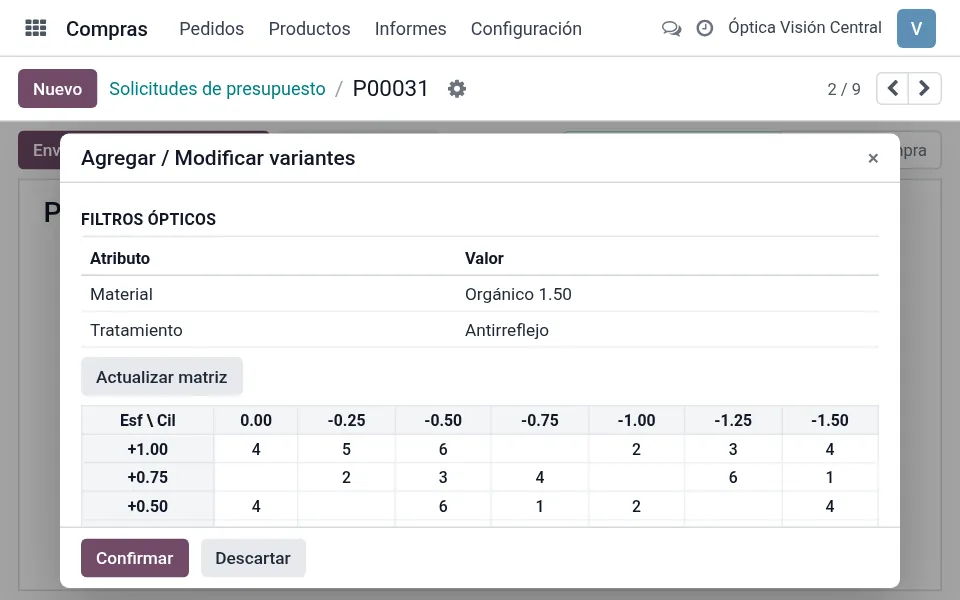
Optical filters and matrix on a request for quotation
Purchasing with optical filters
A purchase matrix filtered by optical attributes, so you only restock what you need.
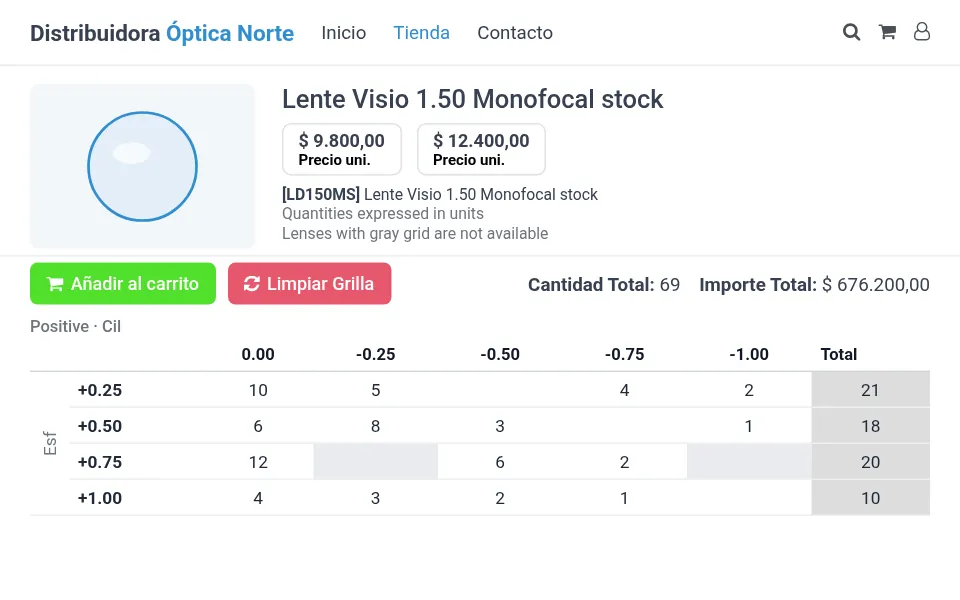
Wholesale product page with a quantity grid
Wholesale store
An online store for volume sales, with quantities entered in a grid and everything added to the cart at once.
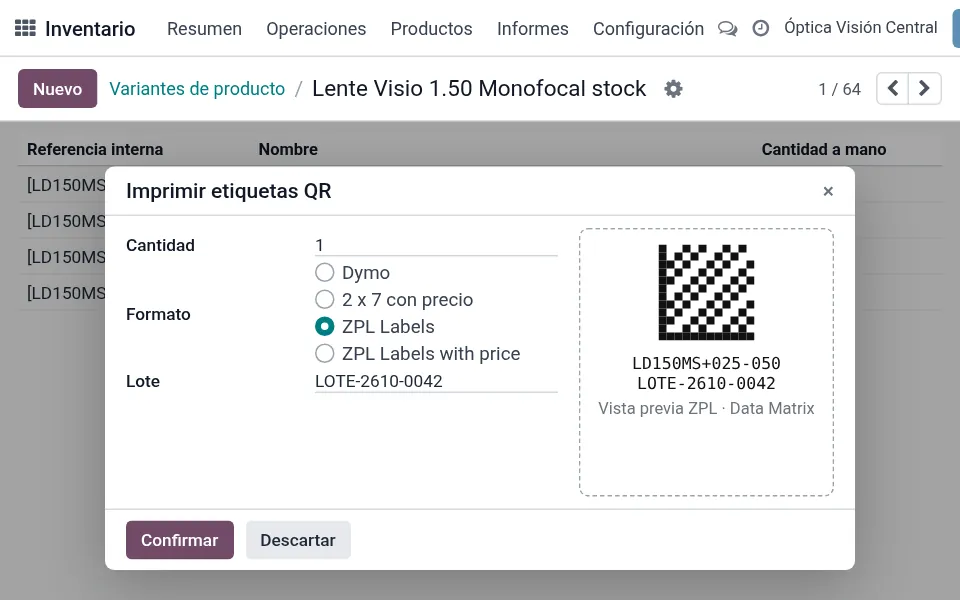
Variant codes and label printing
Codes and labels
Automatic variant codes and ZPL or Data Matrix labels with lot numbers, for lenses and frames.
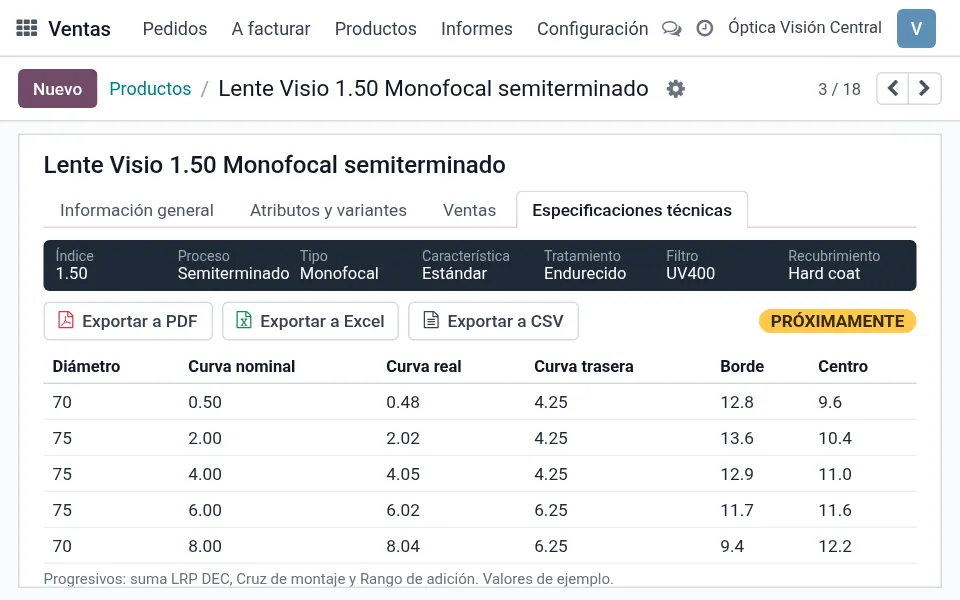
Concept of the spec sheet with export
Technical specification download for each lens Coming soon
Downloadable spec sheets so your customers have the data for every lens.
Multi-country: e-invoicing and localized accounting, multi-company and multi-currency
Invoice according to your country's rules and keep localized accounting in the same system. Manage several companies and currencies from a single account.
 ArgentinaARCA
 MexicoCFDI
 ChileSII
 ColombiaDIAN
 UruguayDGI
 PeruSUNAT
 SpainVeri*Factu, SII and TicketBAI
 EcuadorSRI
 United States
 BrazilNF-e / NFS-e
Availability and requirements vary by country. Some require an authorized provider.
More efficiency and more control for your business
Opticus runs on Solvo's management system, so on top of the optical tools you get everything a company needs.
Invoicing Point of sale
 Inventory
 Purchasing
 Multi-branchOnline store
 Full accounting
 CRM
CRM HR
HR Bank reconciliation
 Electronic paymentsBuilt-in AI
How we implement Opticus
We're with you at every stage, from the first assessment to everyday use of the system.
 Stage 01
Assessment and implementation
We map how your business works and configure Opticus around your processes.
 Process assessment
- System configuration
- Data loading and migration
 Stage 02
Training
We train each area on the tasks of each role, in your own test environment before go-live.
- Training by area
- Content tailored to each user's role
- A test environment to practice with your data before going live
 Stage 03
Ongoing support
We support your team day to day once the system is up and running.
- Help desk with a ticketing system
- Live chat
- WhatsApp support
What people ask us most about Opticus
Can you migrate the data I already have?
Yes. Data loading and migration is part of the first stage, Assessment and implementation. That's where we look at the information you have today and how to bring it into Opticus.
Does it work if I have several branches?
Yes. Opticus runs on Solvo's management system, which is multi-branch and multi-company: you can work with several branches or companies in the same system.
Can it be used in different countries, currencies and languages?
The base system is multi-currency, multi-language and multi-company, so you can operate in different currencies and have the system and the online store in more than one language. Whatever your case needs, we review it during the assessment.
What is the implementation like?
We do it in three stages: Assessment and implementation, Training and Ongoing support. First we map how your business works and configure the system, then we train each area, and then we support your team day to day.
What support do I get once I start?
You get a help desk with a ticketing system, live chat and WhatsApp support.
Can I try the system before going live?
Yes. During training you work in your own test environment, so you can practice with your data before go-live.

Contact us
Tell us whether you run an optical store, a lab or a distributor, and we'll show you the tools for your case.